Barcode scanners: which one you need
- Wired USB scanner: the simplest. Plug it in and it types like a keyboard, no driver needed.
- Wireless scanner: handy for scanning big items without bringing them to the counter, but it needs charging.
- 1D scanner: reads the striped barcodes on ordinary packaging. Enough for most shops.
- 2D scanner: also reads QR codes and codes on a phone screen. Costs a little more.
Receipt printers: 58 or 80 mm
Thermal receipt printers need no ink, just rolls of thermal paper. Two widths are common: 58 mm and 80 mm.
- 58 mm: small and cheap, fine for receipts with few items
- 80 mm: wider receipts that keep long product names and many lines readable; restaurant kitchen tickets use this size too
- An auto-cutter saves tearing receipts by hand at busy times
- Thermal receipts fade with sun and heat over time, so keep the records that matter in your software
Check before you buy
- Does your POS software work with this scanner and printer? (See the eight questions for choosing POS software.)
- Will you run it from a desktop, laptop or tablet, and does the connection suit it (USB, Bluetooth)?
- Does the seller give a warranty, and where will you get it repaired?
- Can you easily buy thermal paper rolls nearby?
What works with Nodibyte
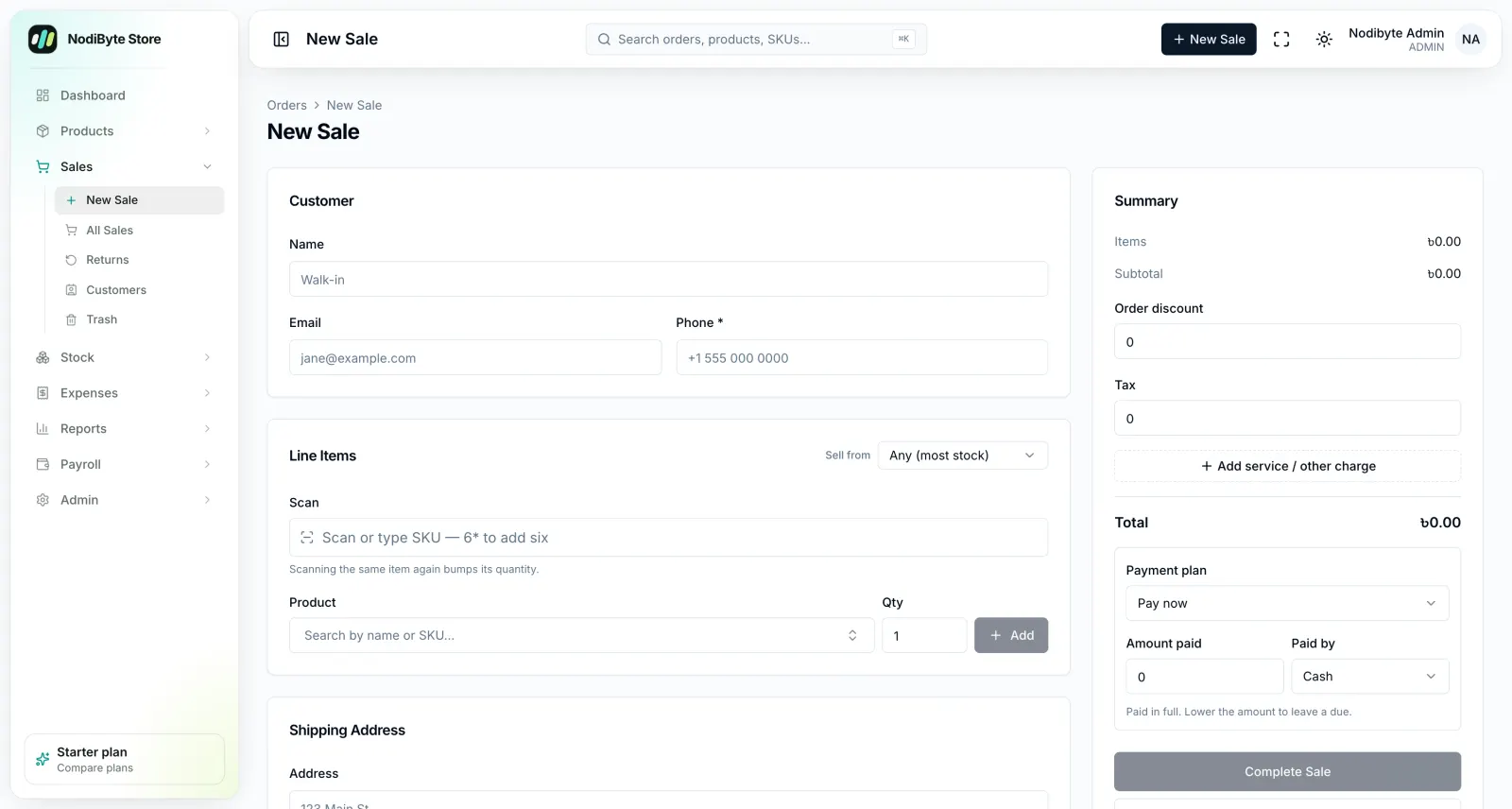
Nodibyte Store Management runs in the browser, so there are no drivers or installs.
- Any USB barcode scanner works out of the box
- A beep on hit or miss, so cashiers can sell without looking at the screen
- Type 6*SKU to ring up six at once
- Any size of receipt printer, with warranty on each receipt line
- You can start without a scanner or printer at all
How to start
Try the software free for 14 days before you buy any hardware. The Lite plan is ৳999 a month.
Questions people ask
Which barcode scanner is best for a shop?
For most shops a wired USB 1D scanner is enough, with no driver needed. Get a 2D scanner if you need to read QR codes or codes on phone screens.
Should I buy a 58 mm or an 80 mm receipt printer?
58 mm is fine for receipts with few items. Choose 80 mm for long product names, many lines or restaurant kitchen tickets.
Can I use the software without a scanner or printer?
Yes, Nodibyte works without either. See the five-step store setup guide.